Introducing Rate Capture: every rate for any property, 365 days ahead
The short answer
- What launched. Beacon Pro, a self-serve account for people who work on the hotel market rather than in it. Its first tool is Rate Capture.
- What it does. Give it a list of properties. It returns every rate they are publicly showing, for every check-in date across the next 365 days, as a CSV.
- What it costs. 1 credit per property per run. A credit is £1. Six free credits with a new account, no card and no subscription.
- Who it’s for. Consultants, management companies, developers, investors, owners, lenders, vendors, researchers and journalists. Anyone who needs the rates but doesn’t set them.
Beacon Pro is live, and its first tool is Rate Capture. Paste a list of property listing URLs, run a report, and download every rate those properties are showing for the next 365 days. One credit per property, a credit is £1, and the first six are free.
If you need to know what a market is charging next March, and you don’t set the prices in it, that information has been out of reach. Rate shopping is a subscription built around one hotel and the handful of competitors it nominates, running every day for that hotel. Benchmarking reports look backwards, depend on who takes part, and return a blended monthly figure with no room type or rate plan.
Rate Capture closes that gap: any list of properties, every rate, a year ahead, in a few minutes.
Running a hotel? Rate Radar is built for you. It checks your own market up to four times a day and flags the moves worth acting on. What follows is for everyone on the other side of the table.
Who it’s for
The mechanism is the same every time. The reason changes completely.
Consultants and management companies
Walk in with the numbers
A prospect’s comp set, sales and undercuts, with no login needed.
Developers and investors
Test your rate assumption
What the catchment asks by room type, weekday and season, a year out.
Lenders, valuers and surveyors
Evidence for the file
A dated, fixed record of what an asset and its peers are asking.
Owners and asset managers
Check your operator
The asset’s pricing next to a comp set you choose, run again each month.
Revenue and technology vendors
Feed your own model
Every rate as its own row across 18 columns, ready to parse.
Destinations, researchers and press
Measure an event
Event nights and the weeks around them, same properties, one file.
What comes back
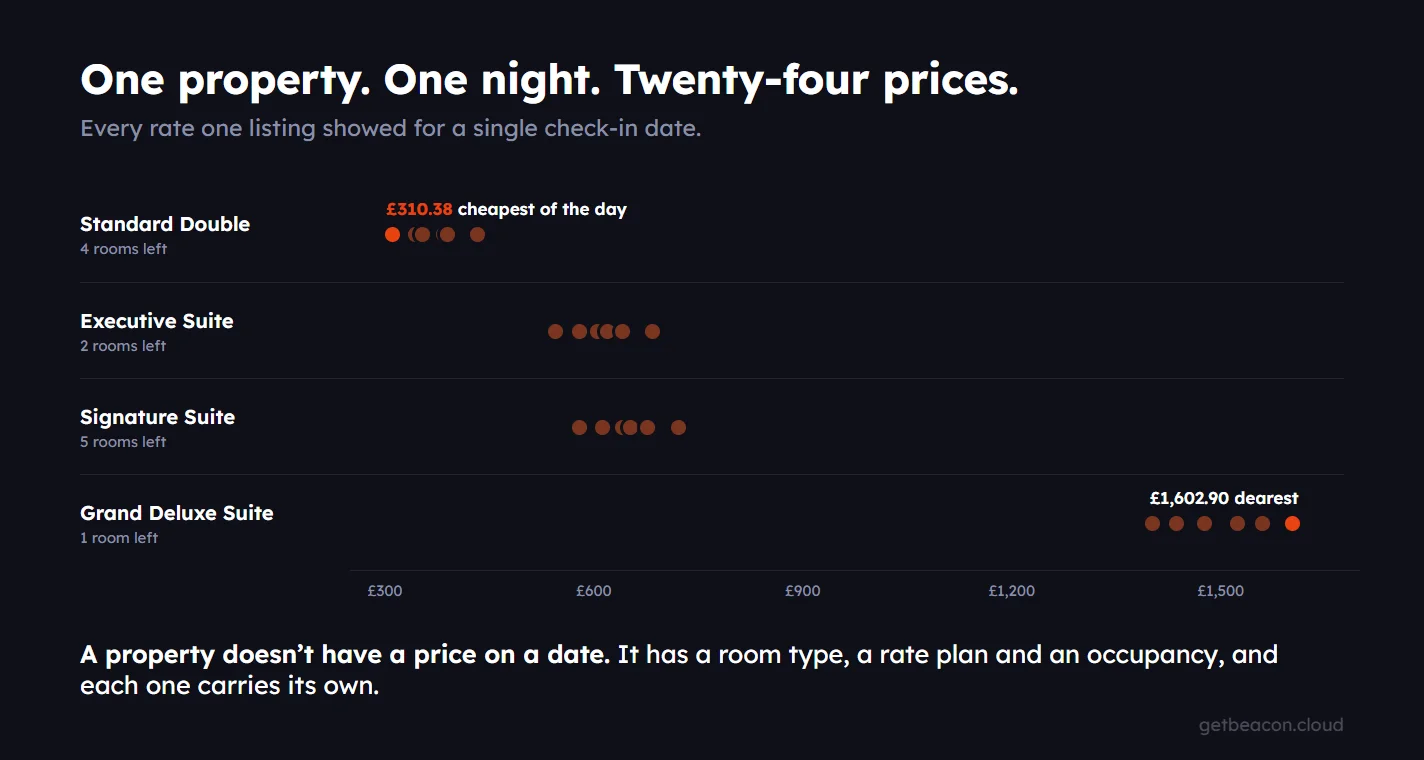
A report includes one row per rate, per room, per check-in date, for every property on your list, across 365 days from the day it runs. Nothing is averaged, sampled or rounded off.
Six columns are always there: the property, the check-in date, whether it was available or sold out, the room, how many guests the rate is for, and the price. Then you tick on whatever else the job needs:
- Rate plan terms. Breakfast included, free cancellation, non-flexible.
- Sale badges. Whether the rate was discounted on the day, so a promotion is never mistaken for a standard price.
- Rooms left to sell. Where the listing warned of limited availability, and how many rooms were showing for each specific room type.
- Cheapest-rate markers. The cheapest rate of the day, and the cheapest the property itself is selling.
- Parity issues. Where a third party is selling the property’s rooms below its own price, and by how much.
Sold-out dates stay in as rows with no price. A date with no rate isn’t a hole in the file, it’s a property with nothing left to sell, and a market with fifteen sold-out Saturdays tells you something no average will.
A twenty-property report at a two-night stay can run past 200,000 rows, and every file is stamped with the date and time it was captured.
How it works
- Build a report. Paste each property’s public listing URL from the world’s largest online booking site, then pick one currency and a stay length from one to seven nights.
- Run it. One credit per property, with the cost shown before you commit. It takes a few minutes.
- Export it. Choose your columns, check the preview, download the CSV.
- Run it again. Each run is dated and fixed once it completes. Clone the report later and run the copy, and both snapshots sit side by side in your account.
Pricing: £1 a credit, one credit per property per run, six credits free when you sign up. A ten-property study is £10, a hundred-property city study is £100, and a seven-property comp set checked monthly is £7 a month.
You can use the file in client work and as an input to your own models, research and products. The terms set out the detail.
Nobody reads 200,000 rows
Some will pivot the file in Excel. Most will hand it to an AI assistant, so Rate Capture ships an AI system prompt beside the export. It’s generated for your report and tells the model what it’s holding: the currency, the stay length, how many properties and dates are in the file, and what every column means. Starter questions come with it. Then ask whatever the job needs.
Your first six properties are free.
Create an account in a minute. Six credits are waiting, and after that a credit costs £1 and checks one property.
Create your free Beacon Pro accountNo cardNo subscriptionOne account for the whole team
Common questions
Paste each property’s public listing URL into a report in Beacon Pro, choose a currency and a stay length, and run it. Rate Capture takes every publicly shown rate for every property on the list, for every check-in date across the 365 days from the day it runs, and hands the whole thing back as a CSV.
Beacon Pro captures the public online rates for any list of properties, by room and rate plan, for a full year ahead, and exports them as a CSV. No participation from the properties is needed, because the rates are the ones a guest is shown online. It costs 1 credit per property, and a credit is £1.
No. Beacon Pro is the self-serve account for consultants, management companies, developers, investors, owners, vendors, lenders and researchers who need the rates but don’t set them. There is no subscription and no property to connect. Running a hotel? Rate Radar watches your own market through the day.